 Clipbeam
How does this work?
By connecting Clipbeam to a personal Telegram bot, you can send links, notes, and files to your library from your phone. You can also chat with the bot to ask questions about your stored data, all powered by the local AI running on your computer.
Setup Guide
Follow these steps to create your private bot and link it to your desktop app.
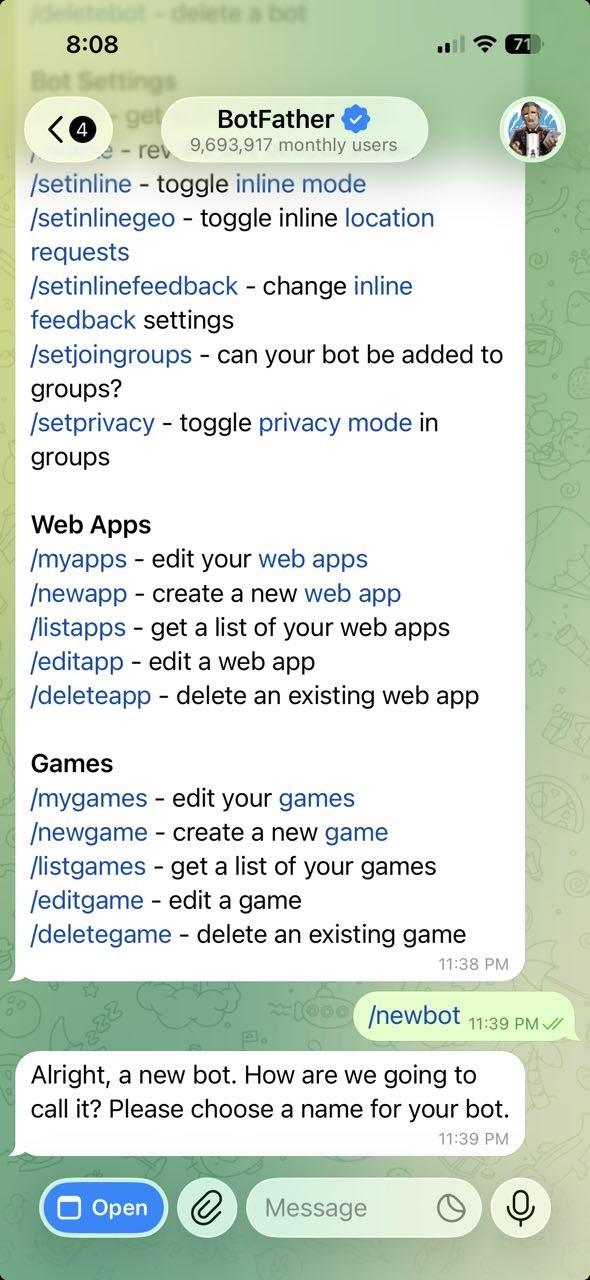
- Open Telegram and go to @BotFather (https://telegram.me/BotFather).
- Type /newbot and follow the prompts to give your bot a name and username.
- Copy the API Token that BotFather sends you.
- Paste this token into the Telegram settings within the Clipbeam desktop app.
- Click the link (t.me/BotUserName) in @BotFather and start chatting.
Usage & Limits
Clipping
Simply share or forward any content to your bot. It will be automatically added to your library.
Unlimited & Free.
Use '/clip' to clip the current or last message.
Chatting
Ask your bot questions about your clips just as you would on desktop.
15 messages free / Unlimited for Premium.
Free messages renew whenever you restart Clipbeam.
Technical Note
Because Clipbeam runs locally for privacy, your computer must be on and running the app for the bot to respond. To keep the connection active, Clipbeam prevents your computer from entering full system standby (hibernation), though screensavers and display sleep will still function normally.